Cloud & SQLSailor

Cloud, Databases & Beyond!

File activation failure. The physical file name “C:\Program Files\Microsoft SQL Server\Path…” may be incorrect. The log cannot be rebuilt when the primary file is read-only.


As we have a new version of Adventureworks database for SQL Server 2012 RC 0 I wanted to start my testing on the same.I downloaded the mdf file from the Codeplex site.

As this is only the MDF file without LDF I went ahead and tried a attach(Attach Databases option) by removing the LDF file which will ensure that we will get a new LDF created automatically.
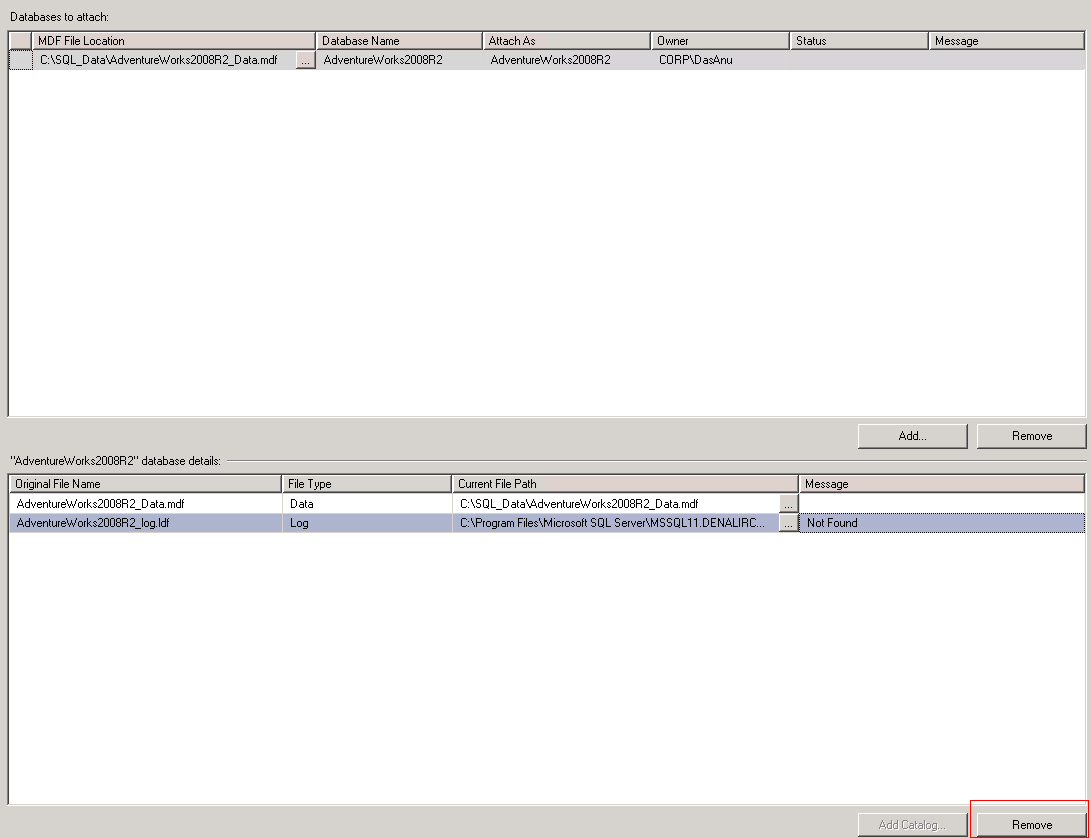
Right away I was hit hard by a strange error which said
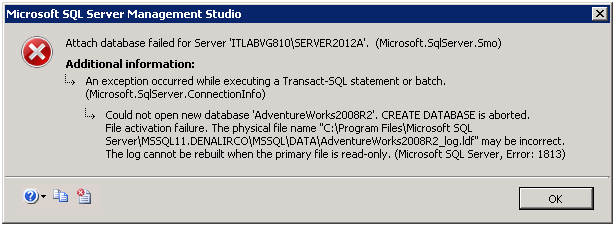
The physical file name path looked strange to me as I did not had such a path in my server.I tried multiple ways to attach the mdf without an ldf including

EXEC sp_attach_single_file_db @dbname = 'AdventureWorks2008R2',
@physname = 'C:\SQL_Data\AdventureWorks2008R2_Data.mdf'

and also using FOR ATTACH_REBUILD_LOG method which Pinal Dave(@pinaldave) clearly explained through his blog post here

Both time same error mentioned above came yet again

File activation failure. The physical file name “C:\Program Files\Microsoft SQL Server\MSSQL11.DENALIRCO\MSSQL\DATA\AdventureWorks2008R2_log.ldf” may be incorrect.

The log cannot be rebuilt when the primary file is read-only.

Msg 1813, Level 16, State 2, Line 1

Could not open new database ‘AdventureWorks2008R2’. CREATE DATABASE is aborted.

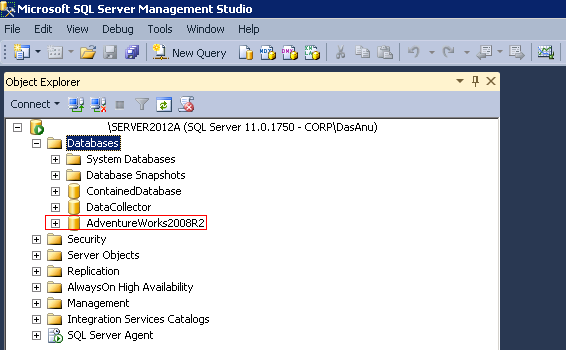
 Solution –  I had a strong feeling that this might be really related to a permission issue and the error message is little mis-leading rather than the actual issue. I went ahead and checked the rights for the Data folder where the mdf file was placed and after re-evaluating and granting permissions to proper SQL accounts the database was attached using normal attach method.
 Conclusion – So next time when you hit this error,remember to have a look at the permissions too for the Data file folder.
Thanks for reading.

20 responses to “File activation failure. The physical file name “C:\Program Files\Microsoft SQL Server\Path…” may be incorrect. The log cannot be rebuilt when the primary file is read-only.”

  1. simon jones Avatar
    simon jones

    Thanks so much.

    Been trying to work this out for over an hour.

    Simon

    1. Anup Avatar

      Great to know that it helped you.Thanks for the confirmation.

  2. amonotod Avatar
    amonotod

    There is no solution posted here; please edit to include the steps taken to fix the issue.

    1. Anup Avatar

      Have you read the section ‘Solution’ which was mentioned in the post.

      You will have to check the rights for the Data folder where the mdf file is placed and after re-evaluating and granting permissions to proper SQL accounts the database will be attached using normal attach method.

    2. anish bert singh Avatar
      anish bert singh

      make a folder and put the sample mdf file ” c:\sql_data\adventureworks2012.mdf ” then right click on sql_data then go to security and click the correspoding user and give full controls. then query create database adventure works2012
      on(filename=’c:\sql_data\adventureworks2012.mdf’)
      for attach_rebuild_log;

      1. Anup Avatar

        Yes,Security needs to be verified here and proper permission should be granted as mentioned in the ‘Solution’ section of the post.You can either use GUI to do the attach or using T-SQL code as you mentioned by you.Both works after correct permissions are set.

  3. Begy John Avatar

    Thank you, it solved an issue at my workplace. great tip.

    1. Anup Avatar

      Great to know and thanks for taking time to provide your feedback…appreciate that !

  4. Ash Avatar

    Just what I needed. Thanks a lot for this post mate!

    1. Anup Avatar

      Thanks for the feedback,happy to hear that it helped you !

  5. nate Avatar

    thanks a lot ..was hovering over the net all the while for this issue…

    1. Anup Avatar

      Great,glad that you found it helpful !

  6. arv Avatar

    Thanks a lot!! It saved my time

    1. Anup Avatar

      Glad that you found it useful and thanks for taking time to provide a feedback !

  7. infinity Avatar
    infinity

    MEGA THANK YOU is Working !!!!!!!!!!!!!!!

    1. Anup Avatar

      Glad to know that !

  8. Mayur Avatar

    Thanks for your answer… it worked!!!

    1. AnupWarrier Avatar

      Great to know…Thanks for the feedback !

  9. bigfrankburton Avatar

    ugh , saved my sanity. folder permissions. Thanks v. much.

    1. AnupWarrier Avatar

      Sure, thanks for the feedback !

Leave a reply to simon jones Cancel reply