Lets discuss this in a better and interesting way :
Business Manager – Login ‘guyxyz’ is causing lot of issues and we need to know who created this login without our knowledge?
DBA : Hmm! I need some time to gather this info as this is not logged anywhere as per my understanding,and I would like to do an R&D to confirm that.
Our DBA in this case has to check the default trace(New feature starting 2005) which is logged by SQL server automatically to get a solution for this problem.
There are 5 default trace files and these are rolled over,hence its possible to capture recent information related to objects and not related to old events.
The default trace will be located in the same directory where you placed your system databases and an example can be ‘C:\Program Files\Microsoft SQL Server\MSSQL10.MSSQLSERVER\MSSQL\Log ‘
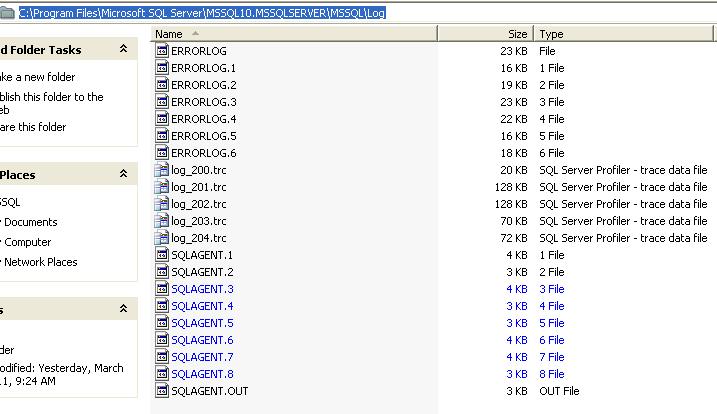
We can use the below function to pull the information on logins :
SELECT TargetLoginName,SessionLoginName,NTUserName,NTDomainName,HostName,ApplicationName,StartTime
FROM fn_trace_gettable
(‘C:\Program Files\Microsoft SQL Server\MSSQL10.MSSQLSERVER\MSSQL\Log\log_###.trc’, default)
where TargetLoginName=’loginname’


 Cloud & SQLSailor
Leave a reply to Hidden gem – SP_CONFIGURE “A journey discussing each options” « smartsqlserver Cancel reply